
Photo tips for homeowners
How to Take Pictures of Your House With a Phone
You do not need a fancy camera to take good photos of your home. A recent iPhone or Android phone, daylight, and a few good habits are enough. This page walks through the whole process, from getting the house ready to choosing your best shots.
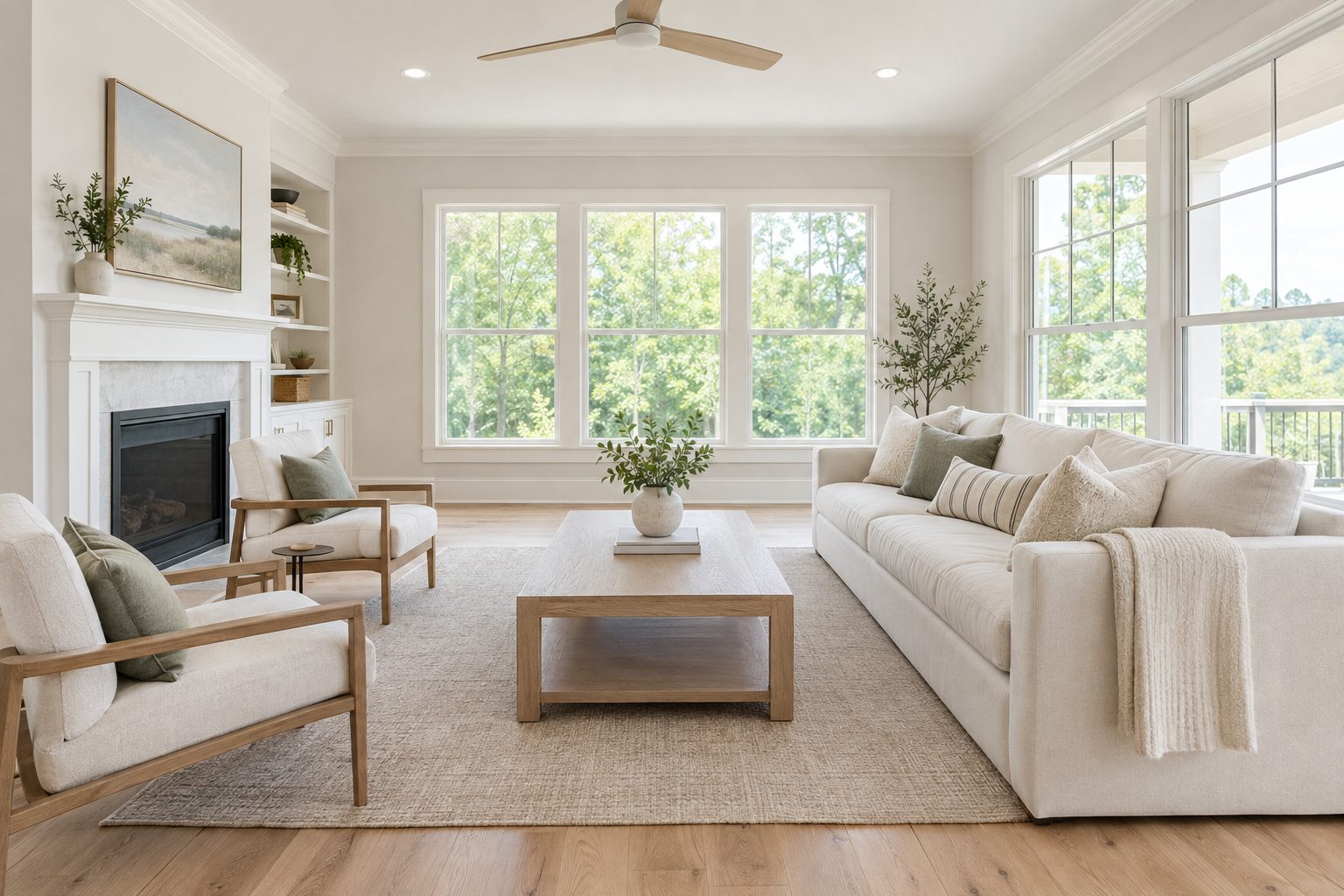
Step 1: Get the house ready first
A clear, clean room photographs far better than a cluttered one, and most of the work happens before you pick up your phone. This is presentation, not renovation. Work through each room in this order:
- Declutter. Clear surfaces, floors, and visible storage. A helpful rule of thumb is to remove about a third of what is in the room. Empty reads as bigger on camera.
- Depersonalize. Put away family photos and personal collections so the room feels neutral.
- Deep clean. Clean floors, glass, light fixtures, and baseboards a little beyond your everyday standard.
- Add light. Open every curtain and blind, and replace any dim or mismatched bulbs.
- Arrange. Pull furniture slightly off the walls and keep only one or two decorative touches per room.
The house photo checklist has the full room by room list.
Step 2: Set up your phone
A few quick settings make a visible difference before you take a single picture:
- Turn on HDR. It balances a bright window and a darker room in the same photo. Most recent phones do this automatically.
- Turn on grid lines. They help you keep walls and floors straight.
- Clean the lens. A soft cloth wipe is the most overlooked step and instantly makes photos clearer.
- Leave the flash off indoors. It flattens the room and creates harsh shadows.
- Turn the phone sideways. Horizontal photos show more of the room.
- Skip the highest megapixel setting. It is not needed for listing photos.
A budget tripod or phone mount, usually $10 to $20, is optional but helpful. It keeps every shot level and lets you use the same comfortable height in every room. See phone camera settings for house photos for the steps on iPhone, Pixel, and Samsung.
Step 3: Use the light you have
Shoot during the day with as much natural light as possible. Open every blind and curtain, and turn on every lamp and light, even at midday. Mixing natural and artificial light makes rooms feel bright and welcoming. Turn off ceiling fans before you shoot.
Step 4: Frame each room with COMPOSE
These seven habits spell COMPOSE, and they cover most of what separates a rushed phone photo from a good one:
- C: Corner shots. Angle into a corner so three walls show, not just one. It makes the room feel bigger.
- O: Open up the light. Mix natural and artificial light so no area is too dark or too bright.
- M: Maintain just above waist height. This is the most natural, balanced view for most of the home.
- P: Perpendicular verticals. Keep walls and door frames running straight up and down, not leaning.
- O: Overshoot each room. Capture two or three angles before you move on.
- S: Straight horizontals. On straight on shots, keep floors and rooflines level, using your grid lines.
- E: Emphasize the space. Stand back enough to show the full room, not a cropped slice of it.
In kitchens and bathrooms, shoot from about 12 inches above counter height instead of waist height, so the counter does not block the view of what is behind it.
Step 5: Take the outside
For the front of the house, stand as far back as you can while keeping the whole home in frame, without including the street or parked cars. Move cars out of the driveway, hide trash and recycling bins, coil up hoses, and remove grill covers first. Take a straight on shot, then one or two angled shots from a few steps to each side.
Get Your Free Guide
The full 36 page For Sale By Owner Photo and Online Listing Guide is free when you register.
How many photos to take
For an average size home, plan on roughly 25 to 35 photos in total. Take more than you need, then keep the best. It is much easier to delete extras than to realize afterward that a room or angle is missing. The house photo shot list breaks the count down by room.
Step 6: Review and choose your best
Look at each room through your phone screen before you shoot. Clutter is easier to spot on a screen than with the naked eye. When you review, delete anything blurry, too dark, or messy, and keep your best two or three angles per room. Save your originals either way.
Step 7: Polish your best photos
A little brightening and straightening finishes the job. Keep edits honest: the photo should still look like your home. See how to edit house photos, or upload your photos to FSBO Studio and get them back brighter and cleaner, usually the same day.
Get the full step by step guide
The For Sale By Owner Photo and Online Listing Guide is a 36 page PDF with the COMPOSE method, a shot list, phone settings for iPhone, Pixel, and Samsung, and a room by room checklist. The guide is free when you register. Sign up and download it right away.
Questions and answers
Do I need a professional camera to photograph my house?
No. A recent iPhone or Android phone can take good listing photos when you use daylight, keep the lines straight, and clean the lens.
Should I use the flash when photographing inside a house?
Generally no. Flash flattens a room and creates harsh shadows. Natural light and lamps work better.
What time of day is best to take house photos?
Daytime, when you have the most natural light. Open the blinds and turn on the lamps too.
How high should I hold my phone for house photos?
Just above waist height for most rooms. In kitchens and bathrooms, hold it about 12 inches above counter height so the counter does not block the view.
How many photos should I take of my house?
Plan on roughly 25 to 35 photos for an average size home, and take a few extra angles of each room so you can choose the best.
Do I need a tripod?
No, but a budget tripod or phone mount helps keep every shot level and at a consistent height.
Where can I find the full method?
The free FSBO Studio guide covers the full method, including phone settings, a shot list, the COMPOSE habits, and editing.